
Check-in, passport scan and chip
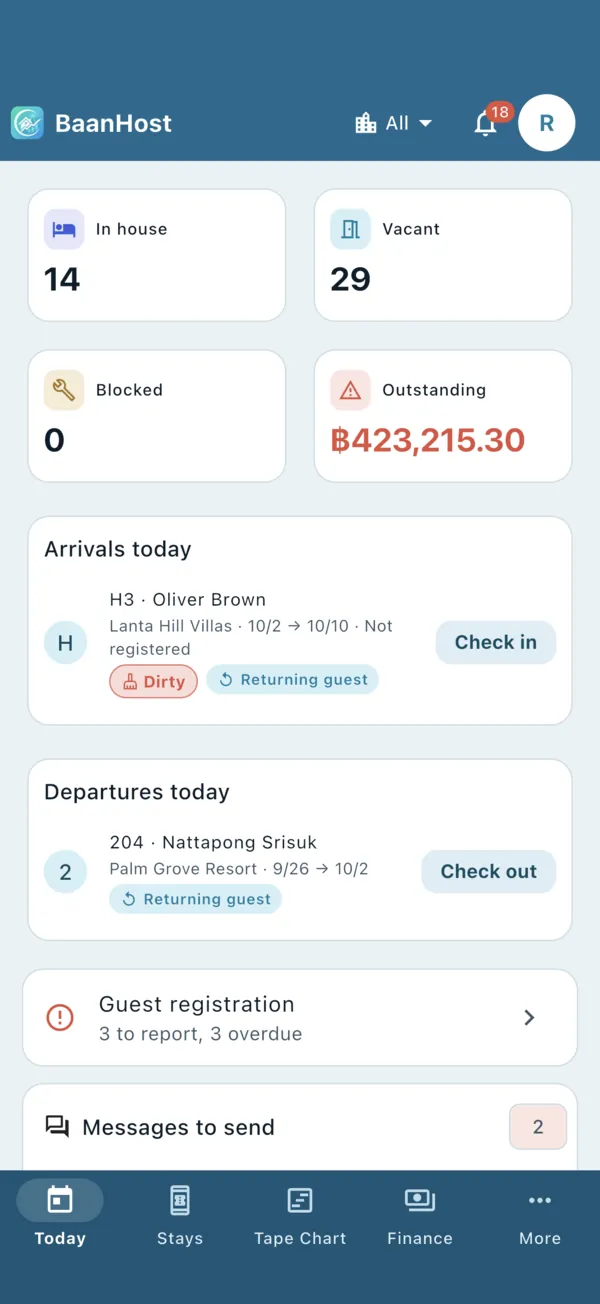
Check guests in from the Today page, fill in guest details by scanning the passport, and confirm them by reading the passport chip.
Check a guest in
- On Today, find the guest under Arrivals today and tap Check in. Or open the booking and tap Check in there. The button works from the check-in date.
- If the room has not been cleaned yet, BaanHost warns you. Tap Check in anyway only if the room is really ready.
- Enter what the guest pays now: Rent paid and Deposits in, each with Paid via, and the Paid on date. Leave an amount at 0 to record nothing.
- Confirm. The booking turns "in house" on the tape chart.
Scan a passport
You can scan in the new booking form (when no guest is chosen yet), in the guest form, and when adding companions.
- Tap Scan passport, then Take photo or From photos.
- Aim at the two lines of code at the bottom of the photo page.
- Name, passport number, nationality, date of birth, gender and expiry are filled in. Check them before saving; fields that look wrong are named in a warning.
Reading happens on the phone itself, works offline, and the photo is deleted afterwards.
Read the chip (NFC)
On phones with NFC, BaanHost offers to check the scan against the passport chip right after scanning. The chip holds exactly what the issuing country wrote, so there are no reading mistakes.
- Tap Read chip.
- Close the passport, lay it flat and hold the phone still on the cover. On Android, the NFC spot is usually near the top or middle of the back. Hold still for 3–5 seconds.
- When you see Filled in from the chip, the fields have been corrected from the chip.
If the chip does not open, check the passport number, date of birth and expiry from the scan, then try again.
Companions
Open the booking → Companions → Add companion, then Scan passport, new guest or Pick from guests. In Thailand every companion is reported in TM30.
Let guests register themselves
Open the booking, go to Online registration and tap Copy registration link or Share. The guest enters their passport details, uploads a passport photo, signs and accepts your house rules on their own phone. The booking then shows Registered.
Check-out
On Today, tap Check out next to the guest under Departures today, or open the booking → Check out & settle. Add Settlement charges such as electricity, water, cleaning or damage, settle the deposit and record any refund.